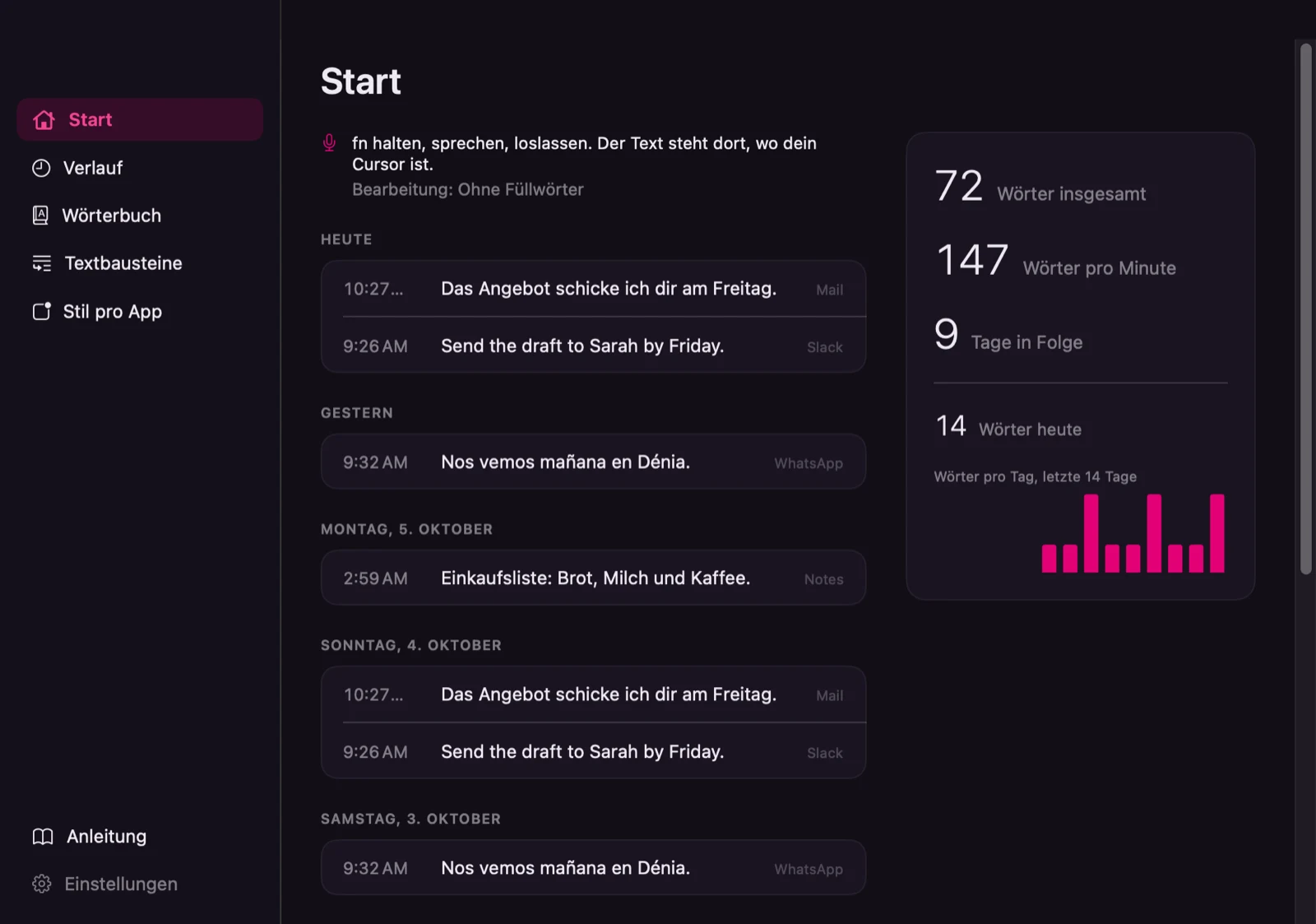
I wanted to dictate the way I work: hold a key, speak, let go, and the text appears where the cursor is, in German, Spanish or English. A tool with that many moving parts is only trustworthy if you can say why each part is there. So I built one for my own Mac and wrote down every decision as I made it.
It’s a small menu-bar app called Flabbeo. It doesn’t sell anything, so this page is about how it was decided and checked.
One rule first
Everything runs on the Mac. The speech recognition is NVIDIA’s Parakeet model, and the tidying-up is done by a small language model, Qwen3.5-4B, through llama.cpp. The only network code in the whole project is one download of those two models from Hugging Face, pinned to exact versions and checked against checksums. There’s no telemetry and no update feed. One footnote, because it’s true: the text it types goes wherever the app you type into sends it.
Decisions, and what they rested on
I didn’t take three AI research reports at their word. I scored them against primary sources. The most useful result was a side finding, a better project to learn from.
Borrowed code needs a licence check and a header. 26 source files carry a header naming the project they were derived from (Pindrop and FreeFlow, both MIT). A reference project without a licence served only as a model for behaviour, and my notices list no code from it.
I picked the language model by benchmark. Four models, 23 test cases in three languages, 20 of them for the clean-up step. Qwen3.5-4B got 19 of those 20 right. A competitor that scored 16 proposed two dangerous edits: it dropped the “not” from “not to my private address” and swapped 450 for 540. The rules described next refused both, which is the point of having them.
The model never has free rein. At the clean-up level it can only return a list of deletions, in a format a grammar forces on it, and a policy refuses any edit that adds, reorders or removes words I didn’t mark. At the rewrite level, which works on the cleaned text, a deterministic guard checks numbers, a lost negation, email addresses and links, the form of address (du or Sie) and the language. If a check fails, the previous version is inserted instead. The guard doesn’t check names, and the app’s own help text now says so.
I tested with speech. Spoken audio turned up faults that typed test text hadn’t shown: the recogniser leaves out the commas around a spoken correction, it writes numbers as words, and once the model turned “quinientos cuarenta” into 450. Four classes of fault, all fixed since.
Putting text into another app is a ladder of checks. The app remembers the field you dictated into, makes sure you haven’t switched app or landed in a password field, pastes, and reads the field back to see whether the text arrived. It says so when it can’t tell. I built a measuring function into the app instead of guessing which apps allow what.
Learning from corrections only with your say-so. If you fix a word right after dictating, the app offers to add it to the dictionary. It never adds anything on its own.
Three languages from the first day. 213 interface texts in each language, with a build check for missing keys and for tone.
At the end I did less on purpose. Signed for my own Macs, no notarisation, no automatic updates. A tool for one person doesn’t need a distribution machine.
What went wrong
The interface text said the AI protects names. The guard doesn’t. I found it by reading every text against the code, and corrected the text. The first wording of the per-app style lines dropped content: in three of the styles, “no la pequeña” (not the small one) vanished from a Spanish sentence. I measured it, rewrote the instruction, and measured again. Text left on the clipboard after a failed insertion, for example from a password field, wasn’t marked as transient, so clipboard managers could record it. That surfaced while documenting the project and now has a test.
The name
It started as Zefiro, a working name. A pre-check found an app of that name in the App Store and no free domains, so I searched for a new one: around 300 candidates over three rounds. Most were spoken aloud by nine synthetic voices in German, Spanish and English, and the shortlisted ones were checked for meaning, collisions and reasons to reject. The test showed that invented, soft-sounding names come back spelled differently every time. I chose Flabbeo anyway, against the result, because the tool is for me. In my own voice the app wrote it correctly in 5 of 18 attempts, all five in German; in Spanish it writes “flaveo”. That’s what the learning dictionary is for. The name hasn’t been through a trademark search.
What it can’t do yet
It has been tested on one Mac. Mine. Installing it on a second one is still to do.
It can confirm that text arrived in three of eight apps. In the other five it can’t read the field, and it tells you so rather than pasting twice.
Some parts have no automated tests. 347 tests in 54 suites cover the logic around them. The speech recognition itself and the app windows are checked by hand, and nothing runs the tests automatically on every change.
There’s no accuracy figure for speech recognition. Only spot checks with synthetic voices and my own use.
The per-app style barely shows on short dictations. A long-dictation test is still missing.
About 13,900 lines of Swift in 13 modules. It stays on my Mac, and it isn’t for sale.
Every decision here has a reason, and most have a measurement or a test. The page says where they don't.
Have a project like this one?
Tell me what you're planning. I'll tell you honestly whether I can help, and what it would take.
Tell me your project →You'll deal with me directly, from first call to final delivery.