
A white-label agency wrote to offer me chatbots to put on my clients’ websites under my own name. I didn’t reply. I built one instead, for my own sites first, so that I’d know every line of it.
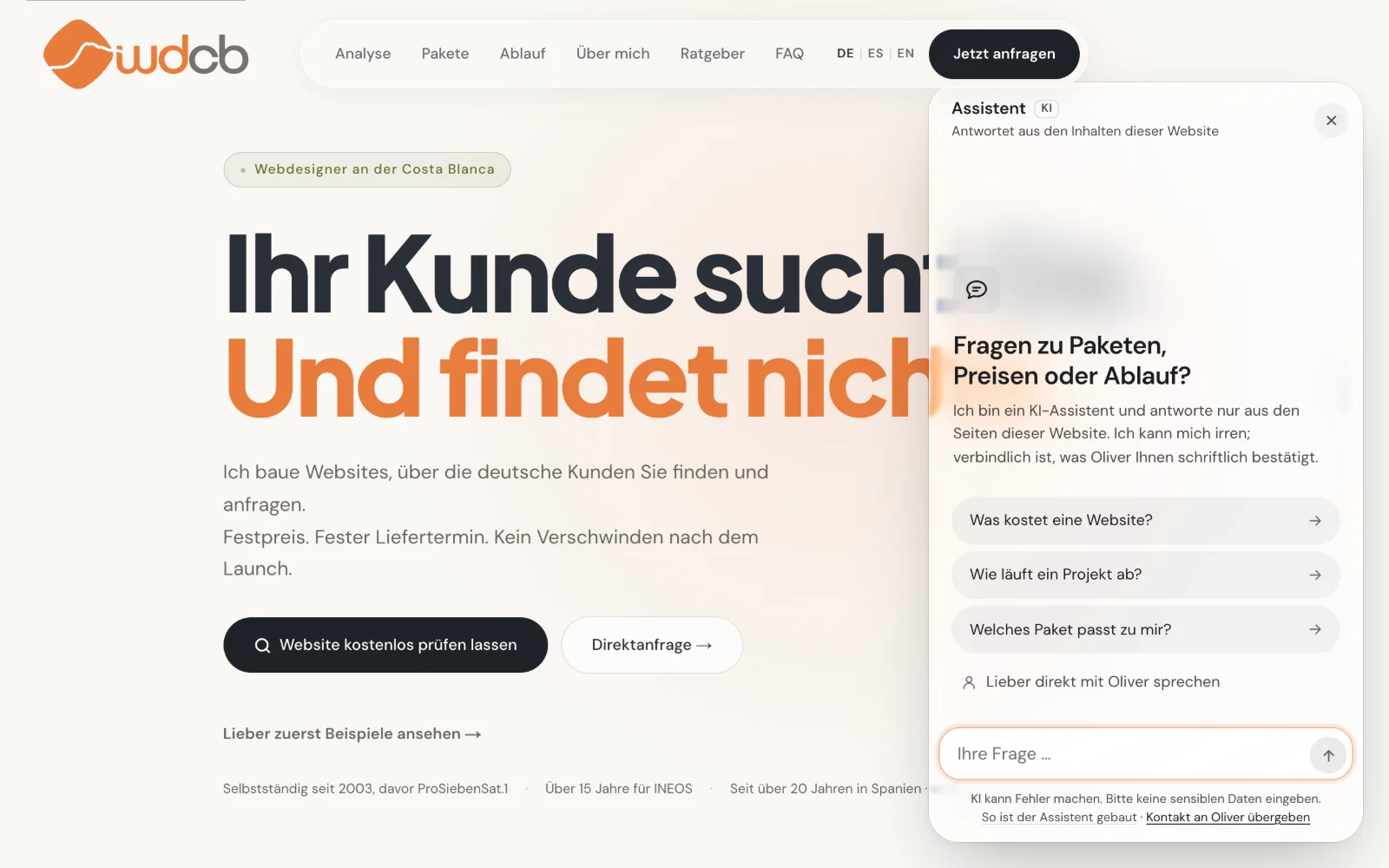
The first site was WebDesign Costa Blanca, the fixed-price web service I run for local businesses. The second was this one.
One rule first
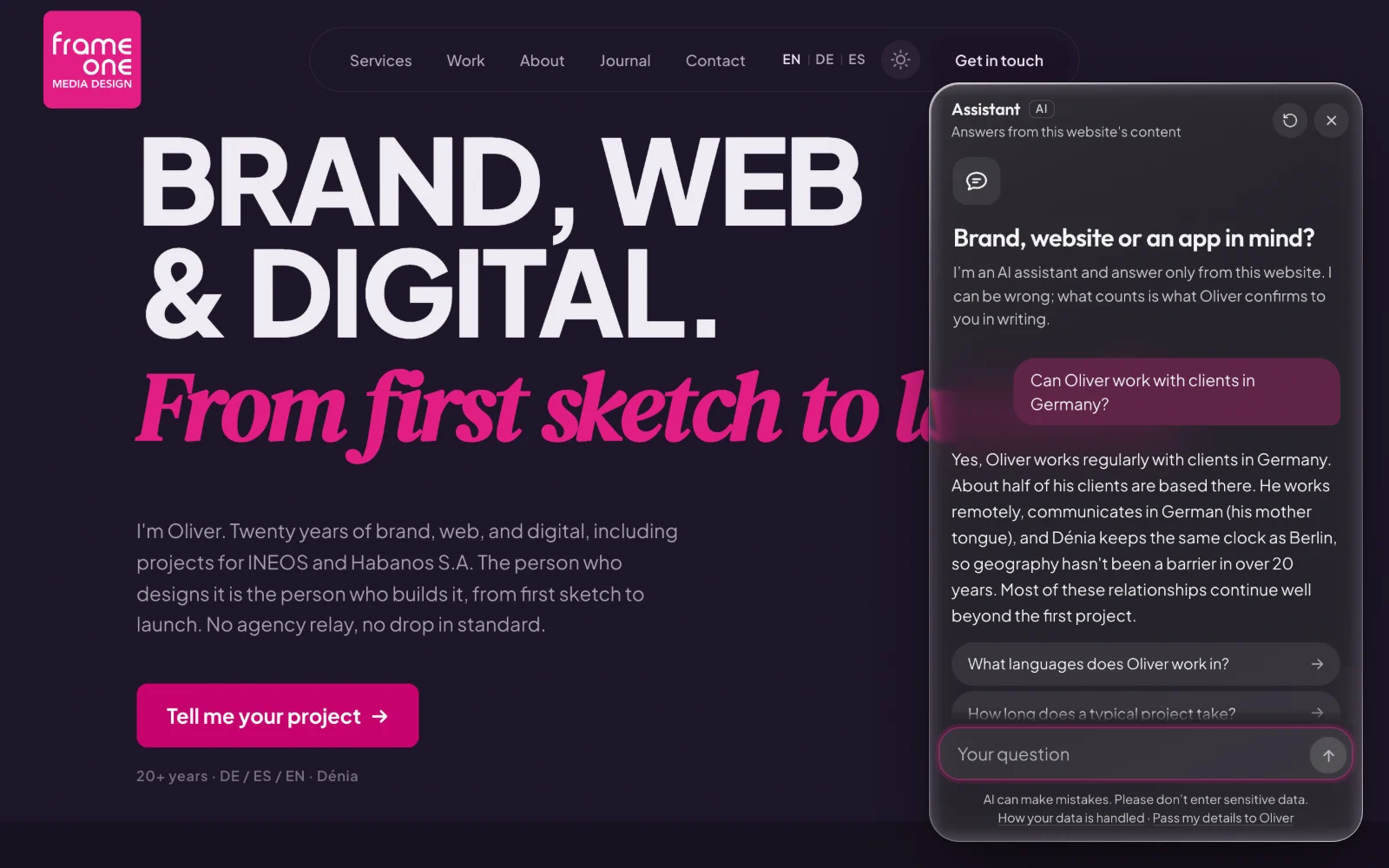
The assistant answers only from the website it sits on. Every time a site is updated, its pages become the assistant’s reading material, so it can’t quote an offer the site no longer makes or invent one it never made. When the pages don’t hold the answer, it says so and offers to pass the question to me.
That one rule settled most of what followed. There’s no second database to keep in sync and no bot to remember to update, because whoever edits a page has edited the assistant without ever opening it.
What it does
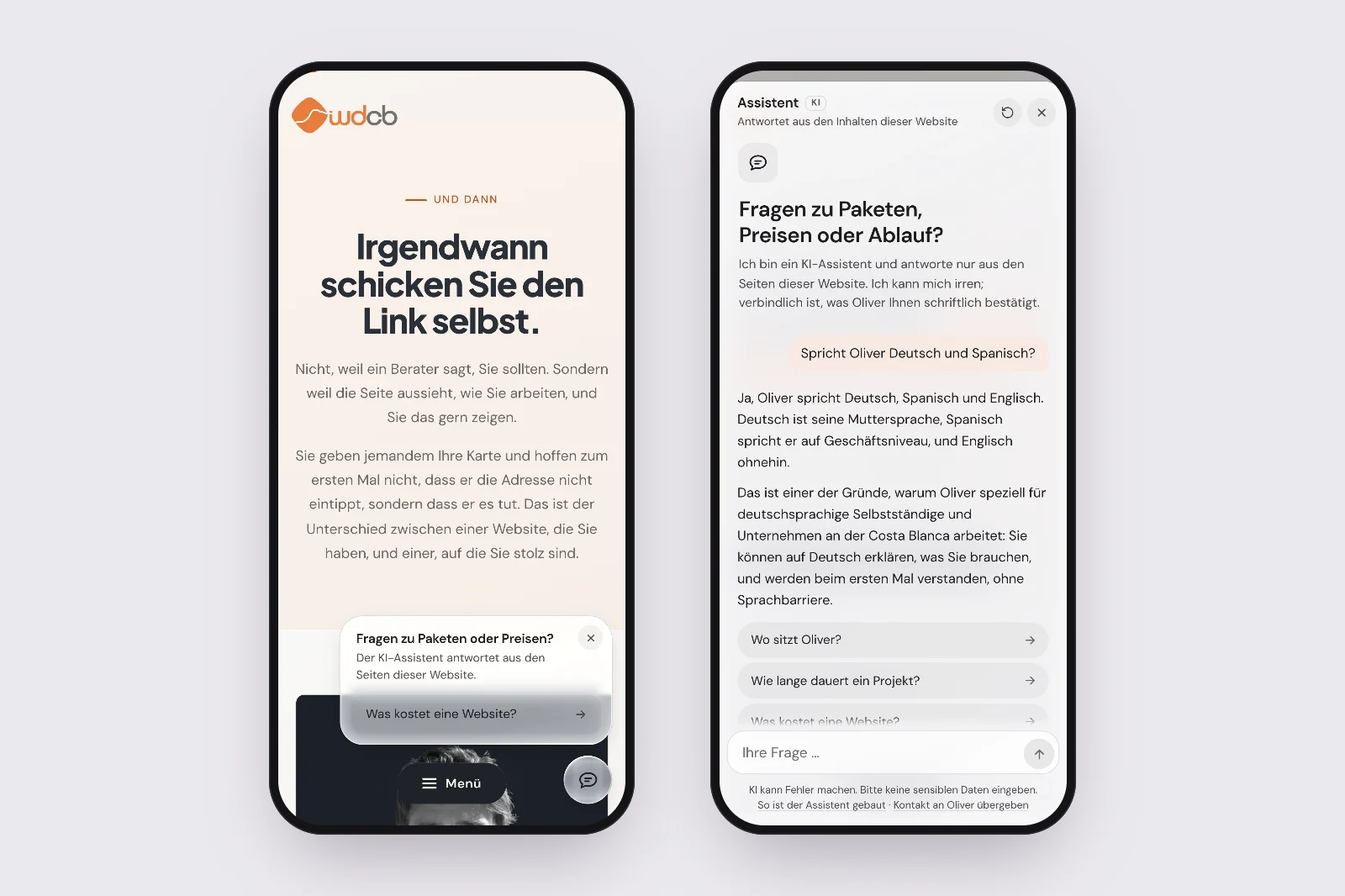
- Answers in German, Spanish, or English, in the register the site uses.
- Starts with three suggested questions, one of them about the page you’re on, and after every answer offers two or three more: only ones the site can answer.
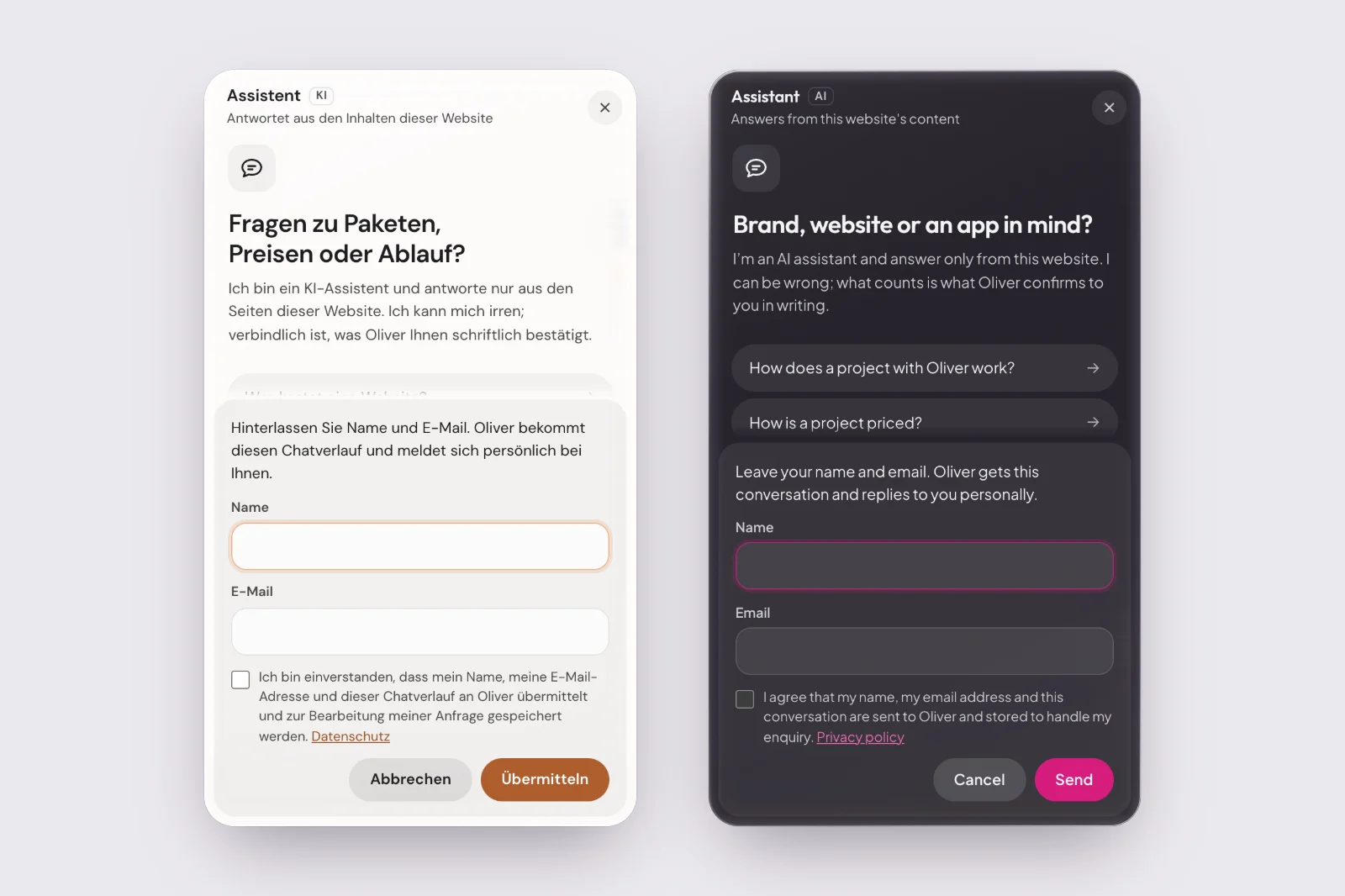
- Hands the conversation to a person: with your consent, your name, your email, and the chat reach my inbox, and I reply myself. Or you message me on WhatsApp, with your last question already in the first line.
- Offers one quiet hint per visit, and keeps it away from the cookie banner and the contact page.
Built twice
frameone.es turned a feature into a kit. The engine now lives in three files that go into a site unchanged, and everything that makes it belong to one website sits in that site’s settings: one brand colour, the questions, the way to reach me, and the rules it plays by.
The rules differ where the businesses differ. WebDesign Costa Blanca publishes its packages and prices, so its assistant quotes them. FRAMEONE publishes no prices, so the assistant here never names a figure, not even a range; it explains how billing works and offers to pass the question on. It also describes client work in the site’s own words, so a brand I worked on never turns into “my client”.
It has a name
It’s called Fladino Chat. Fladino is what I call the tools I build for my own work: a task app, a dictation app for the Mac, and this assistant. They share one set of shapes, drawn from the same letters, and each one gets its own colour. Chat’s is jade.
On a website, though, the assistant wears that site’s colours, not its own. Here that’s magenta, on WebDesign Costa Blanca it’s orange, and on the next site it will be whatever that business already uses.
What it doesn’t do
It doesn’t remember you. The conversation lives in your browser tab and ends when you close it. On the server, questions and answers are kept for six months without IP addresses, so I can see what people ask and where the site falls short.
It doesn’t make you visible in AI search. It answers people who are already on your site. Whether ChatGPT mentions you in the first place is a different problem, and a chat window doesn’t solve it.
It can be wrong. It’s a small, fast model reading a couple of dozen pages, and every conversation says so underneath. For anything that matters, a person answers.
It has limits on purpose. One visitor can only ask so many questions an hour, the whole site has a daily ceiling, and a very long conversation ends with an offer to talk to me instead. That keeps the cost small and predictable, and nobody can run up the bill with a script.
What went wrong
It talked as me. Both websites are written in the first person, “I design, I build”, and the model copied that, so the assistant started speaking as if it were me. Telling it not to wasn’t enough. Showing it was: a few pairs of “the site says this, you say that”. On the first live test here, the headings of my process (“I listen”, “I propose”) still slipped through, so headings got examples of their own.
The answer arrived all at once. On frameone.es the server held each reply back and released it in one piece at the end: a long pause, then a wall of text. Between PHP and the web server sat a buffer that only passes data on in 8 KB blocks. The assistant now sends its text a few times a second, padded past that buffer, and the first words appear about a second after the question, most of which is the model getting started.
The first design was too shy. It worked, and almost nobody would have noticed it. The second version follows the Nielsen Norman Group’s research on how people actually use chatbots on websites: a labelled button with a look of its own, a welcome that says what it can answer, suggested questions, a visible way to reach a person, and answers that start at the top instead of scrolling past you.
The second design looked like every other AI product. Sparkles, a glowing orb, gradient bubbles: the visual shorthand of chatbots everywhere, and mine was wearing it too. The third version takes its cue from Apple’s Liquid Glass. The button, the hint and the chat window are panes of glass over the page, with no colour of their own while they wait; the brand colour appears only on the send button, the links and your own messages. The window grows out of the button when you open it and shrinks back into it when you close it, and in Chrome and Edge its rim bends whatever passes behind it, the way thick glass does. Every other tone is worked out from that one brand colour with a contrast check, so the next site gets its own version from a single setting.
On the method
I built it with an AI coding agent. The first version was live on WebDesign Costa Blanca 45 minutes after I’d settled what it should and shouldn’t do, and frameone.es had its own about 50 minutes after I started on it, server test included. Getting the design right took longer than the code, which is about the right ratio.
The agent writes code quickly. It didn’t decide that the assistant may only answer from the published pages, that a site without prices gets an assistant without prices, or that a visitor’s email address reaches me only with their consent, and those decisions are the part a client is actually paying for.
It’s in the corner of this page. Ask it something.
An assistant on a website should know exactly what the site says, and nothing it doesn't.
Have a project like this one?
Tell me what you're planning. I'll tell you honestly whether I can help, and what it would take.
Tell me your project →You'll deal with me directly, from first call to final delivery.